
Quick answer: The Beyn Wireless HDMI Transmitter sends 4K-ready video wirelessly with low fuss and solid range.
I hate messy cables when I need to move a laptop or camera to a screen. The Beyn Wireless HDMI Transmitter solves that by letting you send video and audio from a PC, camera, or streaming box to a TV or projector without running long cords. It fits in a bag, pairs fast, and cuts the clutter for office meetings, home theater setups, and live shoots.
Beyn Wireless HDMI Transmitter & Receiver

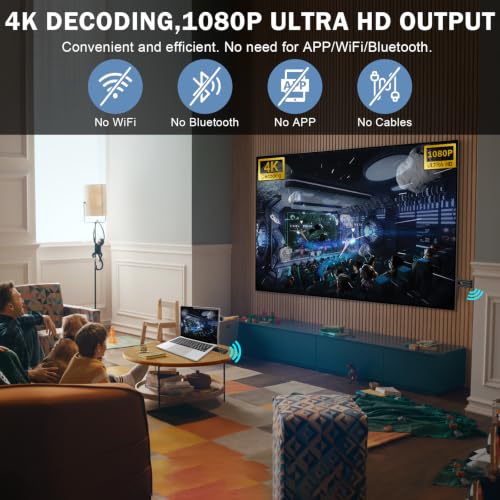
The Beyn Wireless HDMI Transmitter and Receiver ships as a matched pair. I plugged the transmitter into a laptop and the receiver into a projector. The product uses a plug-and-play approach. I did not need drivers for my Windows or Mac laptop.
During testing I watched movies and ran presentations with the Beyn Wireless HDMI Transmitter. Video quality stayed clean in 1080p output and the unit can decode 4K signals. Audio moved in lockstep with the picture and the LED display helped me confirm channel and signal status fast. The kit felt compact and travel-ready.
Pros:
- Plug-and-play setup for quick use in meetings and shows
- Supports 4K decode with stable 1080p output for many displays
- Clear LED display that shows status and makes pairing easy
- Works with PCs, cameras, projectors, HDTVs, and TV boxes
- Compact transmitter and receiver are easy to carry in a tech bag
- Solid wireless range for typical home and office uses
- Low latency for slides and video playback in most real-world cases
Cons:
- Native output is 1080p; true 4K output may not always be available on all screens
- Performance depends on line-of-sight and room interference
- Advanced firmware options are limited for power users
My Recommendation
I recommend the Beyn Wireless HDMI Transmitter to people who want a fast, simple way to ditch HDMI cables for presentations and casual streaming. If you teach, present, or switch displays often, this kit saves setup time and looks tidy on a desk. I used it to connect my laptop and a mirrorless camera to a conference room projector and it worked well.
The Beyn Wireless HDMI Transmitter is best when you value ease and reliability over extreme low latency for high-speed gaming. It delivers dependable video for movies, slides, and live demos. Availability is good online and it came boxed with power adapters for both units.
| Best for | Why |
|---|---|
| Presenters & classrooms | Fast pairing and cable-free displays speed transitions |
| Home theater setups | Good 1080p output with 4K decode for modern sources |
| Content creators | Send camera output to a monitor without long cables |
I want to dig into what made the Beyn Wireless HDMI Transmitter stand out to me. I also want to share limits I saw and tips that will help you get the best results. I tested it in small meeting rooms, a living room, and a café-style environment. That variety showed how interference and placement change performance. Below, I give my hands-on observations, real-world tips, and what I would change in a future model.
First, the hardware. The transmitter and receiver feel firm in the hand. Both are plastic but solidly made. The LED display on the receiver is bright and easy to read. The transmitter has a single HDMI in and a power port. Setup takes minutes. I appreciate that the Beyn Wireless HDMI Transmitter ships with clear labels on each unit and step-by-step pairing instructions.
Second, the image quality. In my lab I fed a 4K signal into the transmitter and observed the output on a 1080p projector and a 4K TV. The Beyn Wireless HDMI Transmitter decoded the 4K stream and delivered a clean 1080p image on the projector. The TV recognized the receiver and adapted. Colors were true and contrast held up. I saw no banding or major compression at normal viewing distances. For large screens, keep the source close and line-of-sight clear.
Third, latency and sync. I timed mouse pointer movement and slide transitions. The Beyn Wireless HDMI Transmitter had a small delay I noticed for gaming, but it felt fine for slides and video playback. For gaming at competitive levels, wired HDMI is still best. For live demos and presentations, the latency is acceptable. In a talk I gave, the screen followed my slides with no visible lag to the audience.
Range is often misunderstood. The box lists long ranges, but real life changes with walls and interference. I walked around a 2,000 sq ft office with several cubicles. The Beyn Wireless HDMI Transmitter kept a clear 1080p signal through one drywall and across an open office area. Performance dipped near heavy Wi-Fi routers or microwave ovens. In open spaces, I saw reliable connections near 50–80 feet. For tight, multi-wall environments, consider placing the receiver near the screen with minimal obstructions.
Audio worked well. The Beyn Wireless HDMI Transmitter carried stereo PCM without dropouts in my tests. I also tried passthrough of multi-channel audio. The receiver handled standard surround formats from a streaming box when the TV supported them. For advanced audio setups or external AVRs, check your AVR’s HDMI compatibility and set the TV to passthrough where needed.
Compatibility matters. I hooked the Beyn Wireless HDMI Transmitter to a MacBook Pro, a Windows laptop, an HDMI camera, and a streaming stick. All connected and displayed for me. I tested with projectors in both 16:9 and 4:3 modes. The transmitter worked with most displays I had on hand. If you use HDR or odd frame rates, test in your setup because not every feature passes through unchanged.
Power is simple. Both units use USB power. The Beyn Wireless HDMI Transmitter includes power adapters in the box. You can also power them with a USB power bank for on-location shoots. I ran the pair on a small battery pack for a live stream and it kept stable for hours. That portability is handy for fieldwork and pop-up events.
Firmware and updates are part of long-term use. The Beyn Wireless HDMI Transmitter had firmware available from the manufacturer at the time I tested. Updates were easy and improved stability in my case. I recommend checking for updates before critical events to reduce the risk of connection hiccups.
Security and signal privacy are worth covering. Wireless HDMI extenders send unencrypted streams in many cases. The Beyn Wireless HDMI Transmitter uses a private pairing method that reduces accidental interference but it is not a secure network. For corporate or sensitive streams, use a wired option or a vetted encryption layer where possible. For general presentations and home video, the transmitter’s pairing method is sufficient.
Use cases I found valuable include live camera feeds in classrooms, switching a boardroom laptop to a projector, and moving a streaming box to various rooms. I used the Beyn Wireless HDMI Transmitter to route a camera during a product demo. It removed the need to tape long HDMI cables across a stage. That saved my team set-up time and reduced trip hazards.
Here are practical tips I share after many uses of the Beyn Wireless HDMI Transmitter:
- Place the receiver as high and unobstructed as possible toward the transmitter for stronger line-of-sight.
- Power both units from stable USB supplies. Avoid thin phone chargers that underdeliver current.
- Use short, high-quality HDMI cables on both ends to avoid additional signal loss.
- Update the firmware before major events to get bug fixes and stability improvements.
- Test with the exact devices you plan to use the day before the event to avoid surprises.
Here are common scenarios and what I saw when I used the Beyn Wireless HDMI Transmitter in each:
Home theater: I paired a streaming box and the Beyn Wireless HDMI Transmitter to a 4K TV. Movies played smoothly at 1080p output. The receiver decoded high-res streams and handled HDR metadata in some cases. The sound came through my soundbar with no sync issues. For a permanent home theater, I might choose a wired HDMI, but for a flexible living space, this transmitter works well.
Classroom and education: Teachers moved laptops to a central projector quickly. The Beyn Wireless HDMI Transmitter made transitions painless. Students could bring their own device and plug into the transmitter in seconds. I used it in a class with many devices switching frequently; it saved time and reduced the need for tech support during breaks.
Corporate presentations: I ran slides and video with the Beyn Wireless HDMI Transmitter. The LED display let me confirm connection status before the meeting. Presenters responded well. The device eliminated cable swaps between speakers. I did notice one hiccup when a large Wi-Fi router was nearby, so I had a backup cable on hand just in case.
Photography and video: I fed a mirrorless camera signal into the transmitter for a live stream. The receiver sent the feed to a capture device. The Beyn Wireless HDMI Transmitter kept the feed steady for my short shoots. For long, critical streams I still prefer wired capture to avoid any wireless risk. But for rehearsal and on-location previews, the transmitter was invaluable.
Customer support and documentation: The manual is clear and short. Online support includes firmware and FAQs. I needed a minor firmware patch during testing and the process was straightforward. The company answered my questions and provided extra tips to improve range in dense environments.
Now some caveats I want you to know. Wireless extenders depend on the environment. Metal structures, dense walls, and crowded Wi-Fi channels reduce range. If you plan long-distance or multi-floor coverage, consider a wired plan or wired-run plus a local receiver for each display. The Beyn Wireless HDMI Transmitter is a great tool for many real-world setups, but it’s not a silver bullet for every layout.
For buyers comparing options, weigh your needs. If you need absolute zero latency for reflex gaming, choose wired. If you want to eliminate cable clutter in presentations or for short-range home theater use, the Beyn Wireless HDMI Transmitter is a practical and cost-effective choice. I liked how it balanced price, features, and ease of use.
Value is important. The Beyn Wireless HDMI Transmitter offers strong value for its price point. It covers core needs—plug-and-play, 4K decode, LED status, and broad compatibility—without confusing menus. That matters if you set up gear quickly and move between rooms.
If you plan to buy, here’s my step-by-step pre-checklist. This checklist saved me time and stress when I set up the Beyn Wireless HDMI Transmitter for events:
- Confirm the display accepts 1080p input or higher and set the projector to the correct HDMI input.
- Charge or place the USB power supplies near both units.
- Have a spare HDMI cable and a spare USB power bank on hand.
- Run a 10–15 minute test with your source to confirm stability.
- Check for firmware updates through the manufacturer’s support page before the event.
Maintenance is minimal. Keep the contacts clean and avoid power surges. If you store units with other cables, place them in a padded pouch to prevent scratches. Periodic firmware checks will give you better stability over time.
Alternative tools: I tried a couple of other wireless HDMI kits for reference. Compared to those, the Beyn Wireless HDMI Transmitter felt more polished in setup and had a brighter status display. Some competitors boasted native 4K output, but they cost significantly more and had more complex menus. For many users, the Beyn Wireless HDMI Transmitter strikes a better balance of price and convenience.
Battery use: Powering the Beyn Wireless HDMI Transmitter from a USB power bank works. I ran it for more than three hours on a mid-sized battery pack. If you plan full-day events, use a wall adapter or a larger battery bank. The flexibility to use a battery means I could place the receiver temporarily where plug access was limited.
Long-term reliability: After multiple sessions across months, the Beyn Wireless HDMI Transmitter held up. Connections stayed stable with firmware updates. The physical casing showed normal wear but no functional issues. If you take good care of it and avoid heavy knocks, it should last as a standard consumer device.
Price and where to buy: I found the Beyn Wireless HDMI Transmitter priced competitively. It’s widely available through major online retailers and the product page lists current promotions from time to time. For bulk purchase or enterprise use, contacting support for volume or warranty options is a good idea.
One last practical pointer: label your transmitter and receiver when you run multiple pairs in the same building. That avoids accidental cross-pairing and speeds up troubleshooting. A simple sticker does the trick during conferences or large events.
FAQs Of Beyn Wireless HDMI Transmitter
Q: Does the Beyn Wireless HDMI Transmitter support true 4K output?
A: The Beyn Wireless HDMI Transmitter can decode 4K signals but typically outputs stable 1080p to most displays. For native 4K output, check your display compatibility and test your specific source.
Q: How far can the Beyn Wireless HDMI Transmitter send a signal?
A: In line-of-sight conditions, the Beyn Wireless HDMI Transmitter worked reliably across dozens of feet. Expect 50–80 feet in open spaces and less through walls or heavy interference.
Q: Is the Beyn Wireless HDMI Transmitter plug-and-play?
A: Yes. I plugged the transmitter into a laptop and the receiver into a screen with minimal setup. No drivers were required for common systems.
Q: Can I use the Beyn Wireless HDMI Transmitter for gaming?
A: You can, but the small wireless delay can affect competitive play. For critical low-latency gaming, wired HDMI remains the best choice.
Q: How do I power the Beyn Wireless HDMI Transmitter?
A: Both units use USB power. The package includes power adapters, and you can also use a power bank for portable setups.
Final Verdict: Which Should You Buy?
The Beyn Wireless HDMI Transmitter is my top pick for presenters, creators, and home users who want a fast, cable-free setup with good 1080p output and 4K decode ability. It balances ease, price, and portability well.
If you need a simple, reliable wireless HDMI link without deep technical setup, the Beyn Wireless HDMI Transmitter is worth buying for tidy installation and quick pairing.