
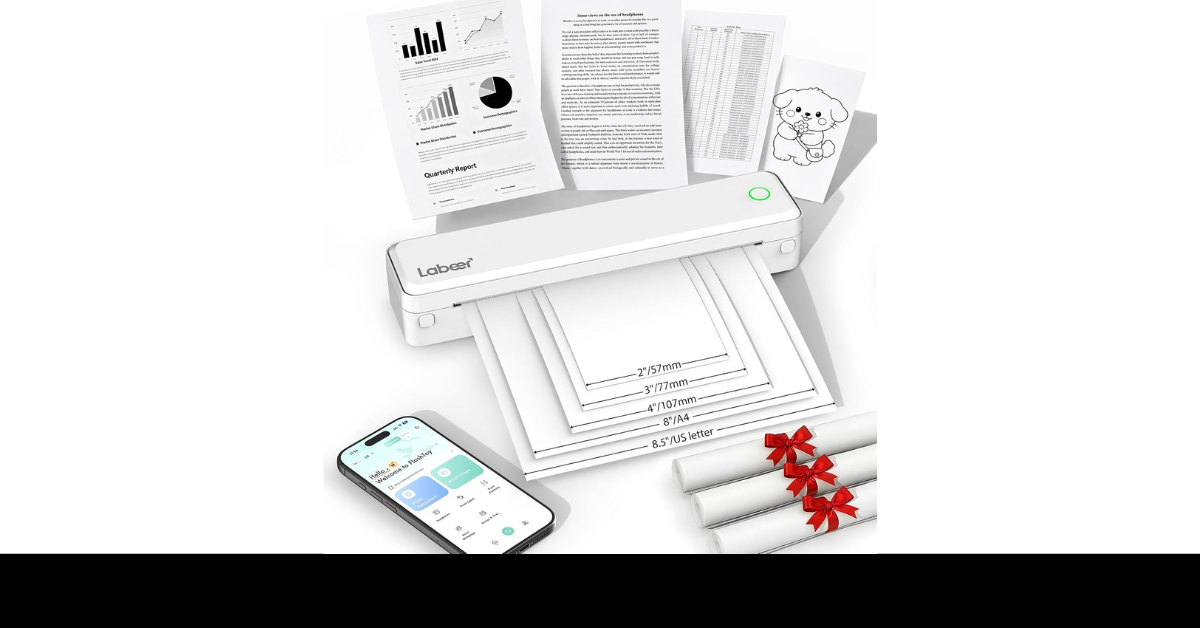
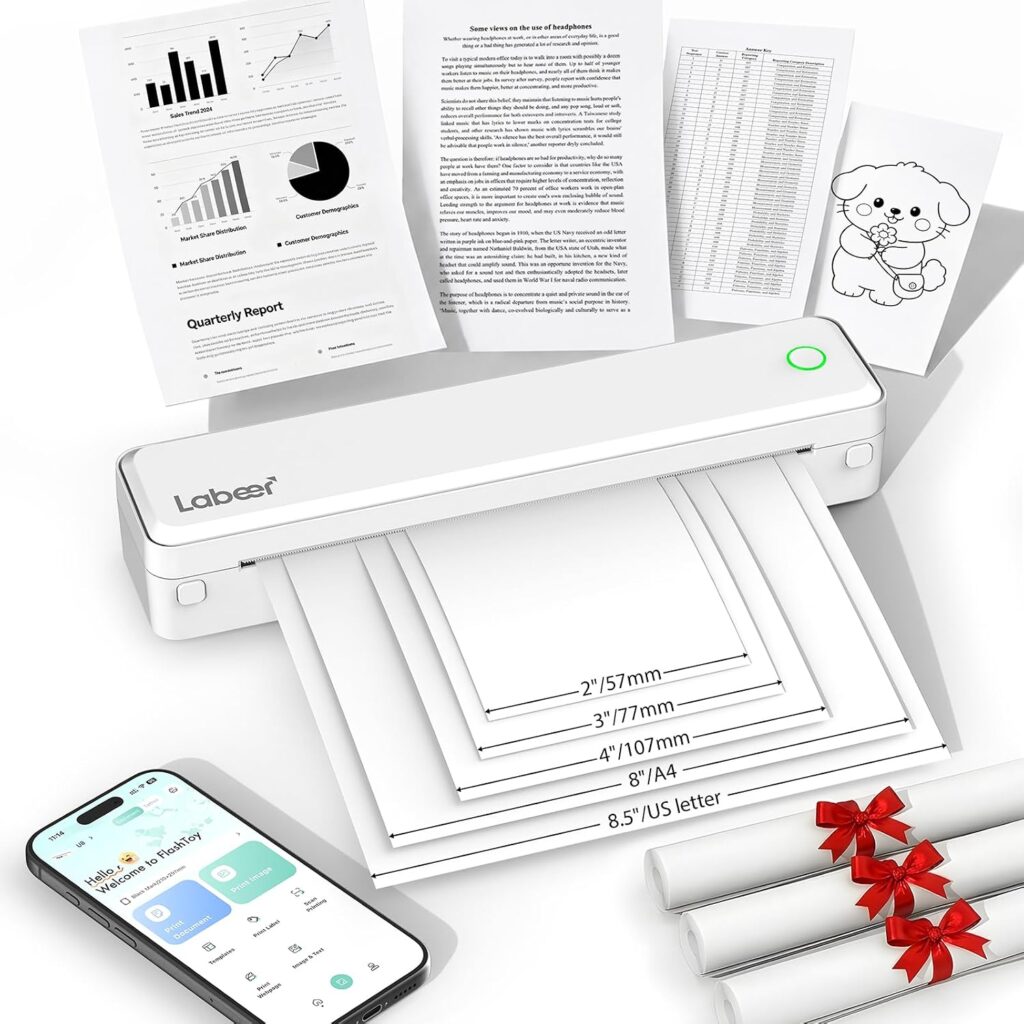
Ever been stuck at a hotel needing to print a boarding pass or contract — with no printer in sight? I have, more times than I’d like to admit. The Labeer Portable Printer Wireless for Travel is built to fix exactly that. It’s a compact, inkless Bluetooth thermal printer that works with your phone, tablet, or laptop — no Wi-Fi, no ink cartridges, no drama. I’ve tested a few travel printers over the years, and I can tell you this one punches above its price. If you need a reliable mobile printer for trips, remote work, or school, keep reading — I’ll break it all down for you.
Labeer Portable Printer Wireless for Travel
The Labeer Portable Printer Wireless for Travel is one of the most practical travel gadgets I’ve used recently. It’s small, light, and truly ink-free — which means no cartridges to buy, no clogged heads, and no mess. Just load thermal paper and print.
Short answer: Yes, the Labeer wireless printer is worth it for anyone who needs to print documents on the go without the hassle of ink or a Wi-Fi connection.
It weighs just 750g (about 1.65 lbs) and fits in a backpack without a problem. I slipped it into my laptop bag next to my notebook and barely noticed it was there. For US travelers especially, the native support for 8.5″ x 11″ Letter paper is a big plus — most portable thermal printers only go up to A4 or smaller.
The Bluetooth setup is fast. You download the SharpFox app, pair your phone, and you’re printing in minutes. It also connects via USB-C to Windows, Mac, and Chromebooks, so laptop users aren’t left out.
Print quality at 304 DPI is sharp enough for contracts, invoices, shipping labels, study notes, and receipts. It’s black and white only — no color — but for travel documents and work forms, that’s totally fine. The printhead is rated for up to 50km of printing, which works out to over 150,000 A4 pages. That’s long-term reliability you can count on.
The 2,550mAh battery keeps you printing across multiple sessions between charges. It’s not the highest capacity on the market — some rivals hit 2,600mAh — but in real-world use, it handles hundreds of pages per charge comfortably.
One thing to note: it only works with thermal paper, not regular copy paper. Thermal paper rolls and sheet packs are easy to find online, but it’s an ongoing cost to keep in mind.
Check the price on Amazon
Pros
- Truly portable at 750g. It fits in any bag and doesn’t add real weight. Great for frequent travelers and remote workers who can’t afford to carry bulky gear.
- No ink needed. The thermal printing system means zero cartridges, zero toner, and zero messy refills. That saves real money over time, especially if you print regularly while traveling.
- Supports US Letter (8.5″ x 11″). Most travel printers skip this size, but Labeer includes it alongside A4 and A5. That matters a lot for US users printing standard business documents.
- Broad device compatibility. Works with iPhone, Android, Windows, Mac, Chromebook, and even Linux via USB. You’re not locked into one ecosystem.
- 304 DPI print resolution. Text comes out crisp and readable. Contracts, invoices, and forms look professional — not washed out or blurry like with lower-DPI budget printers.
Cons
- Black and white only. There’s no color printing. If you need color charts, photos, or marketing materials, this isn’t the right tool.
- Requires thermal paper. You can’t use regular printer paper. Thermal sheets and rolls need to be sourced separately, and that’s an ongoing purchase.
- Build quality feels basic. A few users noted the body feels a little lightweight or plasticky. It’s functional, but it doesn’t have the premium feel of Brother or HP portable models.
- No scan or copy function. This is a print-only device. If you also need to scan documents on the road, you’ll need a second gadget or a scanning app.
- App-dependent for full features. Some advanced settings require the SharpFox app, which adds a small learning curve and a reliance on app updates for long-term support.
My Recommendation
The Labeer Portable Printer Wireless for Travel is a solid pick if you need a no-fuss, ink-free printer for trips, remote jobs, or school use. It handles US Letter paper natively, connects fast over Bluetooth, and the 304 DPI output is clean enough for professional documents. I’d especially recommend it to frequent flyers, truck drivers, field sales reps, and remote workers who need to print on the road without lugging a full-size printer. Just make sure you keep a stock of thermal paper handy — that’s the only real catch.
| Feature | Labeer Portable Printer | Brother PocketJet PJ862 | HP OfficeJet 250 |
|---|---|---|---|
| Print Technology | Thermal (inkless) | Thermal (inkless) | Inkjet |
| Print Resolution | 304 DPI | 300 DPI | Up to 4,800 DPI |
| Color Printing | No (B&W only) | No (B&W only) | Yes |
| Paper Sizes | Letter, A4, A5 | 8.5″ wide rolls | Letter, A4, legal |
| Connectivity | Bluetooth + USB-C | Bluetooth, USB, Wi-Fi | Wi-Fi, Bluetooth, USB |
| Battery Capacity | 2,550mAh | Optional (sold separately) | Built-in lithium-ion |
| Weight | 750g (1.65 lbs) | 1.1 lbs | 5.7 lbs |
| Scan / Copy | No | No | Yes |
| Ink Cartridges | Not needed | Not needed | Required |
| Best For | Travel, remote work, students | Field workers, delivery drivers | All-in-one on the go |
| Price Range | Budget-friendly | Mid-range | Mid-to-high range |
FAQ
Does the Labeer Portable Printer Wireless for Travel work with iPhone?
Yes, it connects to iPhones via Bluetooth using the SharpFox app. Setup takes just a few minutes and works on iOS as well as Android. Learn more about compatible devices on the product listing.
Do I need Wi-Fi to use the Labeer wireless travel printer?
No, Wi-Fi isn’t required. It prints via Bluetooth from your phone or tablet, or via USB-C from your laptop. That makes it easy to use anywhere — hotels, airports, or remote job sites.
What paper does the Labeer portable printer use?
It uses thermal paper only — not regular copy paper. It supports 8.5″ x 11″ US Letter, A4, and A5 sizes in both roll and single-sheet formats. Thermal paper is widely available online.
How long does the battery last on the Labeer travel printer?
The 2,550mAh rechargeable battery handles hundreds of pages per charge in typical use. Exact count depends on document density, but it comfortably lasts through a full travel day of moderate printing.
Is the Labeer Portable Printer good for printing business documents?
Yes. The 304 DPI resolution produces sharp, clean text for contracts, invoices, shipping labels, and receipts. It’s black and white only, but that’s sufficient for most professional document needs on the road.